Figures and floats
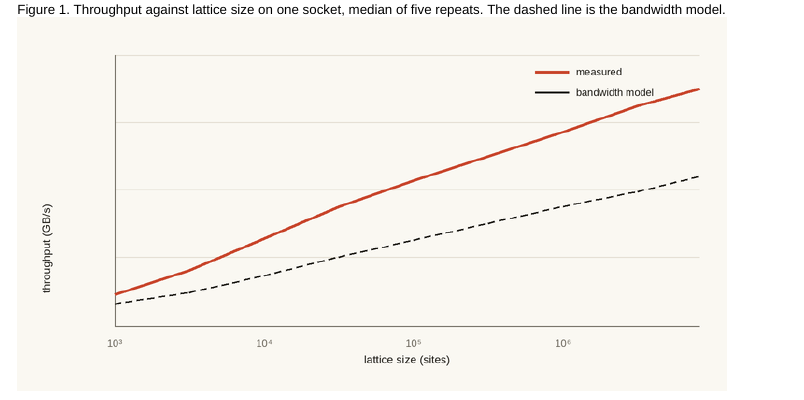
There is no <figure> element. A figure is a box holding an <img> that
carries the id, plus a caption that names it:
<col keep gap={2}>
  <img id="fig-bw" src={plot} width={86} alt="Throughput against lattice size" />
  <FigureCaption to="fig-bw">Throughput against lattice size, one socket, five repeats.</FigureCaption>
</col>
FigureCaption is a project component that reads the generated store and prints
Figure 1. …. The number comes from the id on the image.
Images
from "./assets/plot.png" import plot;

<img id="fig-bw" src={plot} width={86} alt="Throughput against lattice size" />
| Attribute | Meaning |
|---|---|
src | An imported image value, a path, or a data URI |
width | A length; height follows from the image's aspect ratio |
alt | Alternative text, carried into static source |
id | Makes the image a reference target |
unit | Applies to width (default mm) |
Without width, the image's natural size is used: pixel dimensions and the
DPI the file states, defaulting to 96 dpi.
Accepted formats:
- PNG, including indexed colour and an alpha channel;
- JPEG;
- SVG, rasterised at 2×;
- PDF and EPS pages, rasterised through the system
pdftoppmorgswhen those tools exist. The vector content is not preserved.
An image cannot appear inside a line. <img> inside a <p> is an error
(image-inline); put it in a box.
Floats
<float placement="top">
  <col keep gap={2}>
    <img id="fig-bw" src={plot} width={86} alt="…" />
    <FigureCaption to="fig-bw">Throughput against lattice size.</FigureCaption>
  </col>
</float>
<float> takes its contents out of the flow and places them at an edge of a
later page:
placementistop(default) orbottom— anything else is an error (float-placement).- A float lands at that edge of the first page at or after its anchor where it fits. It never lands before its anchor, and it never gives up and returns to it.
- The prose after the anchor closes up behind it. A page that ends early because a float did not fit is the author's arrangement, not a warning.
keepis enforced on text blocks and headings. The paginator does not yet honour it on a container, so the image and caption are not guaranteed to stay together; see status.
A figure that simply flows in place omits <float>.
Spanning columns
Inside a <columns> region, a float states its span:
<float placement="top" cols={2}>…</float>
cols={1}(or omittingcols) places it at the top or bottom of its own column.colsequal to the region'scountplaces it on the page band, across all columns.- An intermediate span is reported as
float-colsand treated as page-scoped.
A float wider than the span it states is reported as float-width and clipped.
A column float taller than its column is clipped and reported (float-clip).
When a float cannot fit
A float taller than a page, or taller than its column, is clipped and reported.
On a fixed page, a float with nowhere to go is reported as float-dropped and
is not drawn.
The engine does not silently shrink, reflow or delete a float. If the page cannot hold it, the build says so.
Figures that are not floats
Floats are for material that may move. A diagram that must stay next to a particular paragraph is just an image in the flow:
<col keep gap={1.5}>
  <img id="fig-flow" src={diagram} width={120} alt="…" />
  <FigureCaption to="fig-flow">A diagram that stays in place.</FigureCaption>
</col>